Visual aids are a general term for “devices to reduce difficulty in seeing.” They include optical and electronic aids prescribed to assist low vision patients (with visual acuity approximately between 0.02 and less than 0.3) in daily living, reading, academic, and occupational activities.
Low vision aids eligible for public benefits include two types: “assistive devices” and “daily living aids.” Eligibility is limited to holders of a physical disability certificate or those with designated intractable diseases.
Assistive devices (independence support benefits under the Comprehensive Support for Persons with Disabilities Act):
Daily living aids (community-based living support services under the Comprehensive Support for Persons with Disabilities Act):
Video magnifiers for visually impaired persons
Portable recorders for visually impaired persons
Clocks for visually impaired persons
Information and communication support devices, voice-output aids, etc.
Note: Large-print textbooks for compulsory education have been provided free of charge since the 2010 amendment of the Act on Promotion of Distribution of Specified Books for Children with Disabilities. Tablet devices (such as iPads) may be covered as daily living aids by some local governments.
QDo I need a disability certificate to receive assistive devices?
A
To receive public benefits for assistive devices and daily living aids, you must either hold a Physical Disability Certificate or be designated as having a specified intractable disease. Please consult the welfare office of your municipality regarding the requirements and application procedures for obtaining the certificate.
2. Patients and symptoms requiring assistive device selection
MNREAD-J is a chart for quantitatively evaluating reading efficiency in low vision patients. It measures the following three indicators.
Maximum reading speed: The maximum reading speed (characters per minute) at the optimal character size
Critical character size: The smallest character size that can be read at maximum reading speed
Reading acuity: The smallest character size that can be read
As a typical developmental standard, the reading speed of first-grade elementary school students is approximately 200 characters per minute. This indicator can also be used to evaluate the effectiveness of assistive devices and to set magnification guidelines.
The selection of assistive devices proceeds through the following five steps.
Step
Content
1
Evaluate in detail “in what situations and to what extent it is difficult to see”
2
Detailed assessment of visual functions such as visual acuity, visual field, and contrast sensitivity
3
Trial use of low vision aids (loan for 1–4 weeks) → confirmation of suitability
4
Instruction on how to use the device by an orthoptist (for the patient and their family)
5
Report on home use and follow-up
QWhat is the MNREAD-J test?
A
The MNREAD-J is a test that uses a Japanese reading chart with gradually changing character sizes to measure three indicators: maximum reading speed, critical print size, and reading acuity. It is used as a basis for selecting the magnification of low vision aids and for evaluating the effectiveness of rehabilitation.
4. Characteristics and selection of each low vision aid
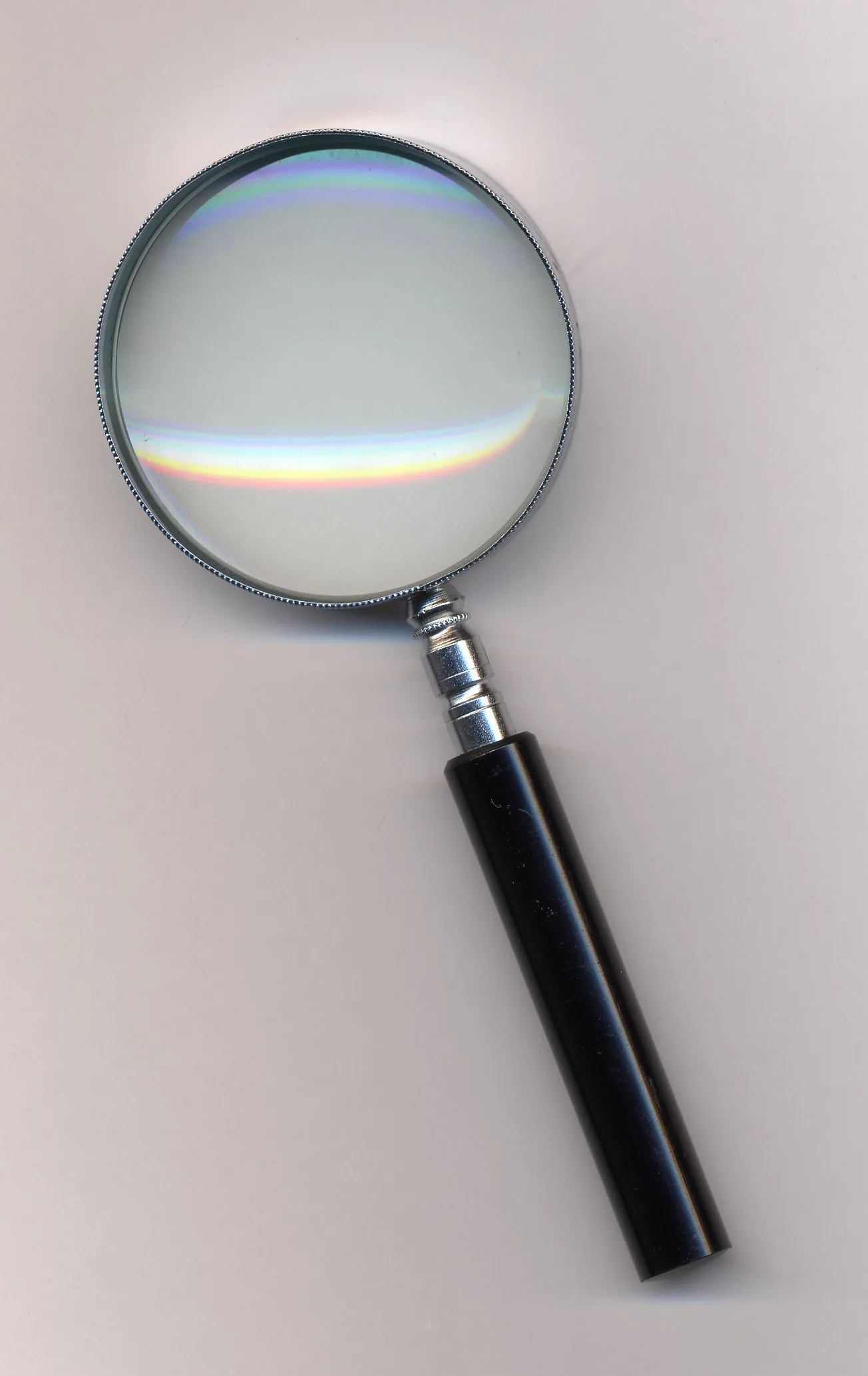
A photograph of a handheld loupe (desktop magnifier) with a plastic frame taken from the front, clearly showing the lens and handle. It corresponds to the desktop magnifier (loupe) discussed in section “4. Characteristics and selection of each assistive device.”
Start with a low magnification of 3–4×, and adjust the magnification according to the usage situation.
Since the face faces downward, instruct the use of a book stand.
Consider lighting to avoid hand shadows. A magnifier with a light is convenient.
After lending for about 1–4 weeks to check usage at home, proceed with purchase or application to the municipality.
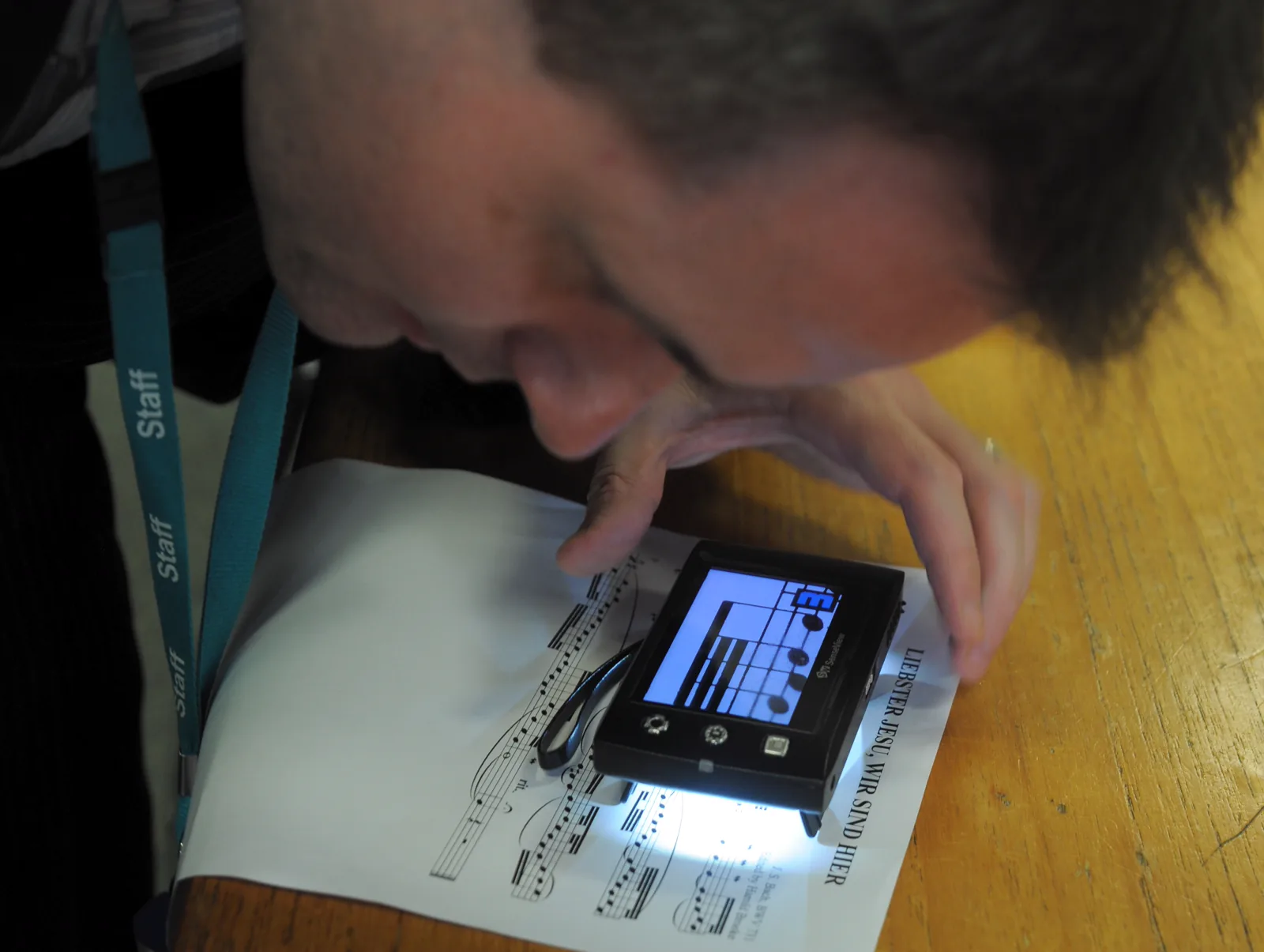
MuseScore. Small CCTV reader for low vision users. Wikimedia Commons. 2013. Source ID: File:Small_CCTV_reader_for_low_vision_users.jpg. License: CC BY 2.0 (https://creativecommons.org/licenses/by/2.0/).
A photograph showing a scene where a small CCTV video magnifier for low vision is being used to read sheet music, with enlarged text displayed on the monitor screen. This corresponds to the video magnifier discussed in the section “4. Characteristics and selection of each assistive device.”
An electronic assistive device that uses a built-in camera to display objects at high magnification on a TV monitor.
There are many types, including near, distance, bifocal, stationary, and portable models.
Color autofocus types are recommended for ease of use.
Bifocal types allow observation of distant objects such as a blackboard on a desktop monitor, useful for school lessons.
Use requires learning magnification adjustment, black-and-white inversion, and working distance setting.
Eligible for daily living aids provision: only one device from stationary, portable, or voice reading devices. Standard amount: 198,000–268,000 yen, lifespan 8 years. Eligible: grades 1–6, school-age children and above.
A Cochrane systematic review found that electronic magnifiers tend to provide faster reading speeds than optical magnifiers, with stationary models outperforming head-mounted ones, but the quality of evidence is moderate to low, and device selection should be individualized based on patient characteristics and tasks (Virgili, 2018). A randomized crossover trial comparing portable electronic vision enhancement systems (p-EVES) with optical magnifiers found no difference in maximum reading speed, but p-EVES allowed access to smaller print, and about 70% of subjects preferred p-EVES for leisure reading (Taylor, 2017). A prospective randomized trial adding a stationary video magnifier to standard visual rehabilitation showed that the video magnifier group outperformed the control group in continuous text reading speed and spot reading tasks (Jackson, 2017).
Tinted glasses selectively cut short-wavelength blue light (below 500 nm), which is the main cause of glare. While sunglasses uniformly reduce the overall amount of reflected light, tinted glasses can reduce photophobia without significantly decreasing the amount of light entering the eye, thus minimizing changes in brightness perception.
No treatment is prioritized over tinted lenses to reduce photophobia
Effectiveness of wearing is confirmed
QWhat is the difference between tinted lenses and sunglasses?
A
Sunglasses uniformly reduce the amount of visible light, whereas tinted lenses selectively cut short-wavelength light (blue light below 500 nm), which is the main cause of glare. Therefore, tinted lenses do not significantly reduce the amount of light entering the eye, and the sensation of becoming too dark is minimal. Indications include photophobia due to albinism, congenital aniridia, corneal diseases, and intraocular diseases, and they are eligible for public subsidy as assistive devices.
5. Assistive device subsidy system and application
The provision of assistive devices is implemented by municipalities based on the Comprehensive Support for Persons with Disabilities Act. The user’s share is 10% co-payment (however, high-income households are not eligible). In principle, one device per category is provided, but up to two devices may be provided if necessary for occupational or educational reasons (e.g., distance and near corrective glasses).
Provision standards for assistive devices (main ophthalmology-related categories)
Video magnifiers are provided not as assistive devices but as “daily living aids” through community-based support services. The provision criteria are as follows:
Eligibility: School-age children and older with visual impairment of grade 1 to 6
Number provided: Only one device among the three types: stationary, portable, or audio reading device
Standard amount: 198,000–268,000 yen
Lifespan: 8 years
QWhat documents are required to receive a subsidy for light-filtering glasses?
A
To apply for a subsidy for light-filtering glasses as an assistive device, a prescription opinion prepared by an ophthalmologist is required. The opinion must include the following three points: ① photophobia is present, ② there is no treatment more effective than light-filtering glasses for reducing photophobia, and ③ the effectiveness of wearing them is recognized. After that, submit an application for assistive device provision at the municipal counter, and purchase the glasses after receiving the approval.
When selecting assistive devices, it is recommended not to decide on a purchase immediately after prescription, but to have a trial period of 1 to 4 weeks to confirm suitability at home before purchasing or applying. During this period, users learn tips for use and evaluate usefulness in daily life.
Prescribing assistive devices is not the end. Changes or additions should be considered based on changes in visual function, living environment, and skill improvement. Patients should report home usage at the next visit to identify issues and continue guidance. A multicenter prospective observational study in the US (28 facilities, 468 participants) found that about 47% of patients showed clinically meaningful improvement in visual ability after outpatient low vision rehabilitation, with a large effect size (Cohen d = 0.87), and the highest improvement rate (44%) was in reading (Goldstein, 2015). Regarding training after new magnification device prescription, a multicenter randomized controlled trial comparing telerehabilitation and in-person groups found no significant difference in reading ability improvement (mean 0.61 logits at 1 month, additional 0.44 logits by 4 months), indicating the usefulness of remote guidance (Bittner, 2024).
QCan I try assistive devices before buying?
A
Yes, a trial is recommended. Especially for devices requiring skill acquisition such as video magnifiers and monocular telescopes, it is standard to have a loan trial of 1 to 4 weeks before deciding to purchase or apply. An orthoptist will guide the usage, and the final decision should be made after confirming actual ease of use at home.
Since the standards and amounts for aid provision may change due to system revisions, please refer to the latest information from the municipal welfare office or notifications from the Ministry of Health, Labour and Welfare.
Virgili G, Acosta R, Bentley SA, Giacomelli G, Allcock C, Evans JR. Reading aids for adults with low vision. Cochrane Database Syst Rev. 2018;4(4):CD003303. PMID: 29664159. https://pubmed.ncbi.nlm.nih.gov/29664159/
Taylor JJ, Bambrick R, Brand A, et al. Effectiveness of portable electronic and optical magnifiers for near vision activities in low vision: a randomised crossover trial. Ophthalmic Physiol Opt. 2017;37(4):370-384. PMID: 28497480. https://pubmed.ncbi.nlm.nih.gov/28497480/
Jackson ML, Schoessow KA, Selivanova A, Wallis J. Adding access to a video magnifier to standard vision rehabilitation: initial results on reading performance and well-being from a prospective, randomized study. Digit J Ophthalmol. 2017;23(1):1-10. PMID: 28924412. https://pubmed.ncbi.nlm.nih.gov/28924412/
Goldstein JE, Jackson ML, Fox SM, Deremeik JT, Massof RW; Low Vision Research Network Study Group. Clinically meaningful rehabilitation outcomes of low vision patients served by outpatient clinical centers. JAMA Ophthalmol. 2015;133(7):762-769. PMID: 25856370. https://pubmed.ncbi.nlm.nih.gov/25856370/
Bittner AK, Kaminski JE, Yoshinaga PD, et al. Outcomes of telerehabilitation versus in-office training with magnification devices for low vision: a randomized controlled trial. Transl Vis Sci Technol. 2024;13(1):6. PMID: 38214688. https://pubmed.ncbi.nlm.nih.gov/38214688/
Copy the article text and paste it into your preferred AI assistant.
Article copied to clipboard
Open an AI assistant below and paste the copied text into the chat box.